Avast Cleanup – Phone Cleaner
- 4.6
- Rating
- 50.00M
- Installs
- Free
- Price

 Analysis by App-foxy
I installed Avast Cleanup – Phone Cleaner because my phone had reached the familiar point where every download required a small negotiation with storage space. Photos, app leftovers, large videos, and files I had forgotten about were competing for room, and I wanted a tool that could help me sort the mess without making the decision for me. After using it as a storage-management app rather than treating it like a magic speed booster, I found it most useful as a visual guide to what is taking up space.
This is a free tools app from Avast Software, aimed at cleaning unnecessary files and making room on an Android device. It is suitable for Everyone, and the current version is 26.12.2. The app has been available since February 27, 2015, so it is not a new experiment in this category. Its popularity is also substantial: it has passed 50 million installs, with an average rating of 4.6 from around 1.5 million ratings and about 36 thousand written reviews.
That popularity is useful context, but it is not a reason to hand over every cleanup decision automatically. My main question was more practical: can I see what will be removed, understand why it is being suggested, and stop the app when its idea of “junk” does not match mine? That is the standard I would use before trusting any cleaner with personal photos, downloaded documents, and app data.
You May Also Like

 AccuWeather: Weather Radar
AccuWeather Review: A Quick, Clear Forecast for Everyday Decisions
For everyday plans, the best forecast is the one you can understand quickly. AccuWeather makes rain timing, radar, and local conditions easy to act on, with a few trade-offs.

 Hill Climb Racing
Why Hill Climb Racing Still Turns Crashes Into One More Run
A tiny car, a bumpy hill and one more upgrade: Hill Climb Racing keeps resurfacing because its simple chaos makes every near-miss feel personal.

 AliExpress - Shopping App
AliExpress Makes Global Shopping Feel Personal, but Shoppers Bear the Risk
AliExpress turns a global marketplace into a pocket-sized discovery engine. Its reach is useful, its shopping loop compelling, and its trade-offs easy to miss.

 Lords Mobile: Kingdom Wars
Lords Mobile Is a Kingdom-Building Routine, Not a Quick Match
A case-by-case verdict on the building, battles, device demands, and social commitments that make Lords Mobile rewarding for some players and exhausting for others.

 PDF Scanner app - TapScanner
TapScanner Makes Paperwork Easier to Capture, Check, and Share
TapScanner makes scanning with a phone feel less like a rescue operation and more like a dependable step in getting work done. Its capture tools are useful, though not flawless.

 Block Blast!
 Shows How Much a Puzzle Game Can Leave Out
A quiet grid game shows why puzzle players increasingly value instant clarity, repeatable skill and low-pressure play—and where the genre still needs to catch up.
More From Our News Desk
View All News


What I found when using the cleaner
I found the cleaner most useful as a way to turn a vague storage problem into a set of choices I could review. In this section, I’ll focus on how that guided approach fits real cleanup decisions, including why I would pause over personal files rather than chase a one-tap fix.
A visual starting point for a crowded phone
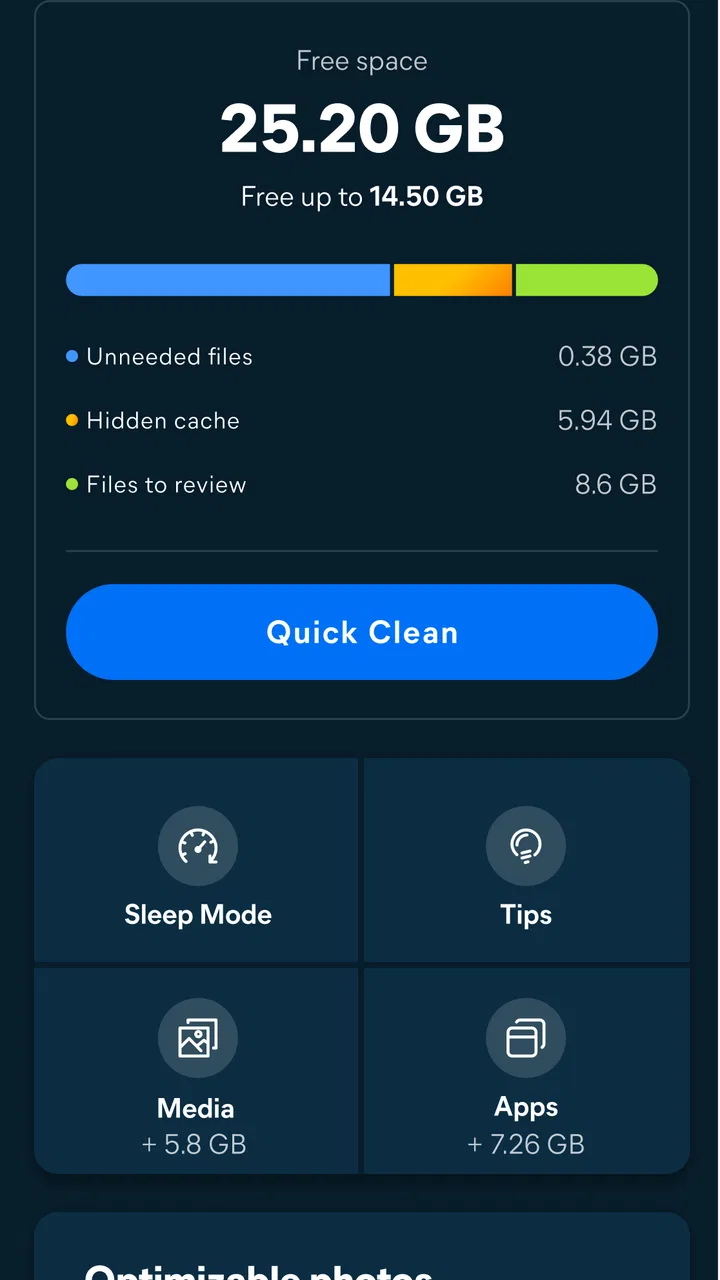
The first strength is clarity. Instead of forcing me to browse through folders one by one, the app presents storage cleanup as a set of manageable choices. That matters when the problem is not one enormous file but many small accumulations: old downloads, temporary material, duplicate-looking items, and media that has quietly become less important.
I would not describe this as a replacement for the phone’s own storage settings. Android already provides basic storage information and uninstall controls, and the built-in tools are the safer first stop for someone who wants the fewest moving parts. Avast Cleanup becomes more helpful when I want a more guided review, particularly when I am unsure which categories deserve attention.
The important habit is to treat the scan as a recommendation, not a command. I read the categories before accepting a cleanup, opened the items that looked personal, and kept anything whose purpose was unclear. A cleaner can identify files that appear disposable while still missing the fact that a particular download is needed for a trip, work task, or offline use.
My everyday test: preparing for a long trip
A realistic use case is preparing for a journey. Before leaving, I might download maps, podcasts, films, tickets, and several albums of photos. The phone can suddenly report low storage even though I have not installed a new game. In that situation, I would use Avast Cleanup to locate obvious space consumers first, then remove only material I could replace or no longer needed.
The order matters. I would start with disposable clutter, continue with large media that is already backed up elsewhere, and leave downloaded travel files until the end. This workflow is safer than tapping a broad cleanup button immediately. It also shows where the app’s value lies: it reduces the time needed to find candidates, but it cannot know the personal importance of every file.
After cleaning, I would reopen the apps connected to anything I removed. A podcast app, photo editor, or document reader may behave differently if locally stored material has disappeared. That is not necessarily a fault in the cleaner; it is the normal trade-off of reclaiming space from files that other apps may still expect to find.
Where it differs from ordinary alternatives
The usual alternatives are Android’s built-in storage screen, a file manager, or manually uninstalling apps. Android’s own tools have a trust advantage because they are already part of the operating system and generally keep the process close to the files themselves. A file manager gives more direct control, but it demands more knowledge: a folder name may be meaningful to the system even when it looks unfamiliar to me.
Avast Cleanup sits between those approaches. It is more approachable than manual folder hunting and more focused on guided cleanup than a general file manager. The trade-off is that I am relying on the app’s interpretation of what deserves review. For someone who prefers to inspect every folder personally, that extra layer may feel unnecessary. For someone who wants a readable shortlist of possible savings, it is the main reason to use it.
Trust begins with visible choices
Because this app deals with storage, trust is not just about whether it finds files. It is about whether I remain in control when the app proposes an action. I look for clear screens, understandable categories, and a chance to review items before removal. I also pay attention to prompts that might lead me toward optional services or purchases, because a free app can still include a commercial path.
Avast Cleanup is free to download and use, but it includes in-app purchases ranging from $0.99 to $59.99 per item. That does not automatically make the app unsuitable, yet it means I would read each offer rather than assuming every visible tool belongs to the basic free experience. If I only need occasional storage checks, I would avoid paying until I had used the core workflow enough to know whether the additional value is real for me.
I also prefer installing it from the official app marketplace and checking the developer name before proceeding. The developer shown for this app is Avast Software. That simple check helps avoid confusing a legitimate utility with an imitation carrying a similar name, especially in a category where users are already worried about device problems.
Permissions and data-sensitive moments
A storage cleaner necessarily needs access related to the files it is asked to examine. That is the point at which I slow down. Before granting access, I read the Android permission prompt and make sure it matches the task I am trying to perform. If a request appears unrelated to finding or managing storage, I would decline it and reconsider whether the app is appropriate for my phone.
I would also review Avast’s current privacy information inside the store or app settings before using the product with sensitive material. Privacy terms and Android controls can change, so I do not treat an old explanation or a vague assumption as proof of how information is handled today. The safest approach is to check the wording presented on my own device and keep only the access needed for the cleanup job.
There are several sensitive moments. A scan may bring attention to personal photos, private downloads, screenshots, documents, or media saved for offline use. Even if I intend to delete only clutter, the review screen can expose filenames or thumbnails that I would rather not display in public. I run scans when I am comfortable with the surroundings and avoid handing the phone to someone else while the results are open.
I am especially careful with anything labelled as duplicate or old. Two files can look alike while serving different purposes, and an older copy may be the one attached to a message, editing project, or backup routine. I compare locations and dates when the app gives me enough context, and I leave both copies alone when I cannot establish which one is safe to remove.
How I keep control instead of cleaning blindly
My preferred routine is a review in three passes. First, I look for files that are clearly disposable, such as material I downloaded temporarily and have already used. Second, I inspect the largest candidates and ask whether they exist somewhere else. Third, I check what remains before confirming. This is slower than accepting every recommendation, but it turns the app into an assistant rather than an unattended deletion tool.
A useful non-obvious tip is to clean before a specific task, not merely whenever the phone feels slow. Before recording a long video, installing a large application, or downloading offline content, I can use the app to create a little working room. That makes the result easier to judge: I know why I am cleaning and how much space I actually need.
Another practical tip is to avoid making several unrelated changes at once. If I remove files, uninstall apps, and alter media settings in one session, it becomes difficult to identify what caused a missing item or a changed app state. I prefer one category at a time, followed by a quick check of the apps I use most. This is particularly important on a phone shared with family members, where someone else may depend on locally saved content.
A third insight is that recurring clutter often points to a habit rather than a one-time storage problem. If screenshots, downloaded clips, or offline files repeatedly fill the phone, I would change the source behavior as well as cleaning the result. Avast Cleanup can help me notice the pattern, but it cannot replace decisions about camera settings, download habits, or which media should remain on the device.
What the app cannot decide for me
No cleaner can reliably understand the emotional or practical value of a file. A blurry photo may be the only record of an important moment. A small document may be needed months later. A cache may be safe to rebuild in one app but inconvenient to recreate in another. I therefore judge the app by how well it helps me investigate, not by how aggressively it promises to remove material.
I would skip this app if my phone has plenty of free storage and I dislike third-party utilities touching personal files. I would also skip it if I already have a disciplined folder system and feel comfortable using Android’s built-in tools. In those cases, adding another app may create more prompts and decisions without solving a real problem.
It is also not the right answer to every performance complaint. Low storage can contribute to a poor experience, but slow performance may come from an aging device, a problematic app, network conditions, or battery limitations. Cleaning files will not fix all of those causes. I would not install a cleaner expecting it to transform an older phone into a new one.
Account choices, purchases, and personal boundaries
When an app offers optional upgrades, I want the basic cleaning task to remain understandable without pressure. I check whether I can complete the scan and review process without creating an account, and I avoid signing in unless there is a clear reason to do so. I also review subscription or purchase screens carefully, paying attention to the exact wording and confirmation step before entering any payment details.
The app’s free price makes it easy to try without an upfront charge, which suits occasional users. At the same time, the presence of paid items means I would not let a family member or child explore purchase screens unsupervised, even though the content rating is Everyone. The age rating describes suitability; it does not remove the need for sensible device and payment controls.
For privacy-conscious users, my advice is simple: grant access deliberately, check the current privacy and permission explanations, and remove access later if Android makes that option available and the app no longer needs it. I would also uninstall the app when my storage problem is solved if I only wanted a one-time audit. Keeping fewer utilities installed reduces the number of apps that need attention over time.
Version, compatibility, and practical expectations
The current version is 26.12.2, and the listed minimum operating-system requirement is Android 10. That makes the compatibility question straightforward for many recent phones, but I would still check the requirement against my own device before downloading. If the phone runs an older system, I would rely on its built-in storage controls or a compatible file manager rather than assuming this release will work.
Updates can change layouts, wording, and the location of controls. After an update, I would repeat my permission and purchase checks instead of relying on memory from an earlier version. I would also look at the cleanup categories again before confirming anything, because a familiar button can lead to a different review screen after an interface change.
One limitation I noticed in this type of workflow is that reclaimed space is not the same as a permanently tidy phone. Apps continue creating caches, cameras continue producing large files, and downloads accumulate again. I treat a cleanup as maintenance, not a cure. A short monthly review is more sensible than repeatedly running aggressive scans whenever a warning appears.
My cautious verdict
Avast Cleanup – Phone Cleaner is a useful choice for Android users who want guided help finding storage they may have overlooked. I like it best when I use it as an inspection layer over Android’s own controls: it makes a crowded phone easier to understand, while I retain responsibility for the final deletion decisions.
Its strongest case is a phone that is genuinely full and a user who does not want to search through folders manually. The app can make a stressful storage problem feel more organized, especially before travel, a large download, or a recording session. Its free entry point also makes a trial reasonable, provided I read optional purchase screens and avoid assuming that every recommendation is harmless.
My caution is equally important. Personal files deserve a slower review than a one-tap cleanup encourages, and privacy choices should be checked on the device rather than guessed. Users who prefer maximum control, already have effective built-in tools, or have no storage pressure may be better served without another cleaner.
Overall, I would recommend it to a friend with a crowded Android phone who wants a clearer starting point, not to someone seeking an automatic performance miracle. Used selectively, with permissions and purchase prompts reviewed carefully, it is a practical storage tool. The best result comes from combining its suggestions with personal judgement: let the app find candidates, but let yourself decide what truly belongs in the trash.
FAQs for Avast Cleanup – Phone Cleaner
01What is Avast Cleanup – Phone Cleaner used for?
Avast Cleanup is an Android maintenance and optimization app designed to help free storage space, remove unnecessary files, identify duplicate or low-value photos, and manage applications. During normal use, it can scan cached data, leftover files, thumbnails, and other items that may accumulate over time. It is intended to support routine cleanup rather than replace Android’s built-in storage tools or solve every performance problem.
02Is Avast Cleanup – Phone Cleaner safe to use?
Avast Cleanup is generally safe when downloaded from the official Google Play Store and used with its recommended settings. Before deleting anything, review the categories and files selected by the scan, especially photos, videos, downloads, and application data. Some cleanup suggestions may be based on storage analysis, so users should avoid removing items they still need and keep important files backed up.
03Does Avast Cleanup improve phone performance and battery life?
The app may make a phone feel more responsive when storage is nearly full, large amounts of temporary data are removed, or unused applications are identified. It can also provide battery-related recommendations on supported devices. However, results vary by phone, Android version, and usage habits. Cleanup cannot overcome aging hardware, poor network performance, excessive background activity, or a battery that is physically worn out.
04Is Avast Cleanup free, and what features require payment?
Avast Cleanup can be installed and used with free features, but the exact selection may change according to the app version and region. Premium features commonly include more advanced cleanup recommendations, automatic cleaning options, deeper photo optimization, and additional customization. The app may display advertising or upgrade prompts in the free experience, so check the current Google Play listing before subscribing.
05What permissions does Avast Cleanup require?
To scan storage and make cleanup recommendations, Avast Cleanup may request access to photos, media, files, installed applications, and other device information. Certain features can also require accessibility or special system permissions, depending on the Android version and the task being performed. Review each permission request carefully, grant only what is necessary, and remember that denying access can limit scanning or automated cleanup functions.
Pros
- Finds and removes junk files
- cached data
- and leftover app files.
- Battery-saving tools can help identify apps draining power in the background.
- The app offers useful storage insights with clear category breakdowns.
- Duplicate and low-quality photo detection makes gallery cleanup easier.
- Its recommendations simplify maintenance for users who prefer guided cleanup.
Cons
- Many advanced cleaning and optimization features require a paid subscription.
- Some recommendations may encourage deleting files users still want to keep.
- Background scanning and notifications can consume additional battery and data.
- Results may be limited on newer Android versions due to system restrictions.
- The interface can feel busy because of frequent upgrade prompts and extra tools.

Avast Cleanup – Phone Cleaner
Gallery